INSIDE CARDRLY

A clearer view of the feedback you receive.

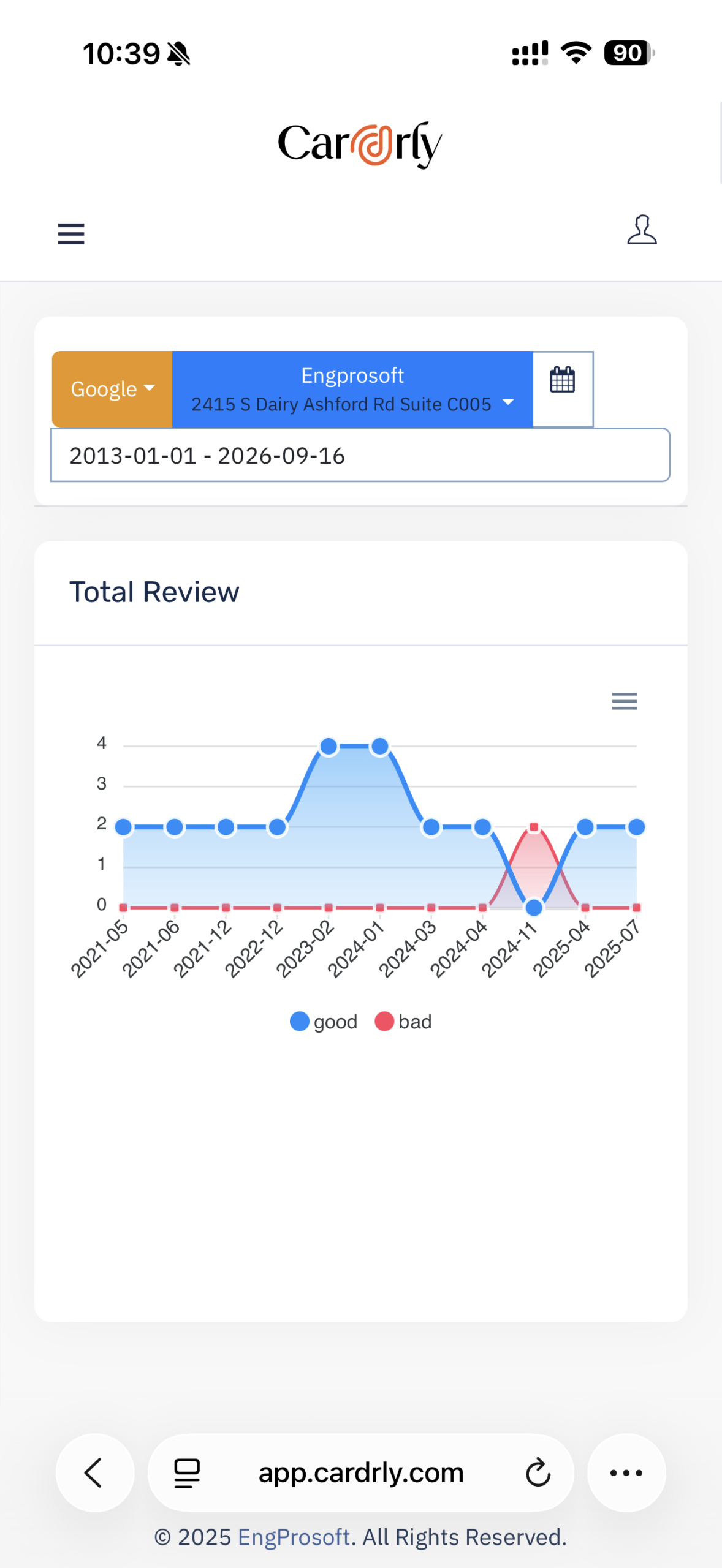
Filter reports by review platform, business location and date range, then compare positive and negative review trends over time.

DOCUMENTED IN YOUR SCREENSHOTS

Reputation reports

Filter before comparing

Select the review source, business location and report period.

See the trend

The Total Review chart plots good and bad review counts along a timeline.

Use your actual data

The screenshot is an example from the supplied Cardrly account, not a performance promise or a benchmark.
ACTUAL CARDRLY SCREEN
Reputation report filters & trends
The functionality described here is visible in the supplied Cardrly screenshots. This marketing website does not connect to account data or send campaigns. Confirm account permissions and current availability with the Cardrly team.
YOUR NEXT CHAPTER

Your next customer is reading your reviews.
Make every impression count.

Let’s build a reputation workflow that works for your business.