THE CARDRLY PLATFORM

From your first connection
to your next customer review.

A closer look at the workflows documented in your Cardrly application, with actual screenshots and a clear explanation of each step.

DOCUMENTED IN CARDRLY

These are product screens, not a live connection to your account. Sensitive account identifiers and customer lists are not reproduced.

01 / Branded Review & Feedback Page

Your brand. A complete customer journey.

Customize your review page and emoji choices, collect private feedback, offer follow-up and preview the complete experience on mobile.
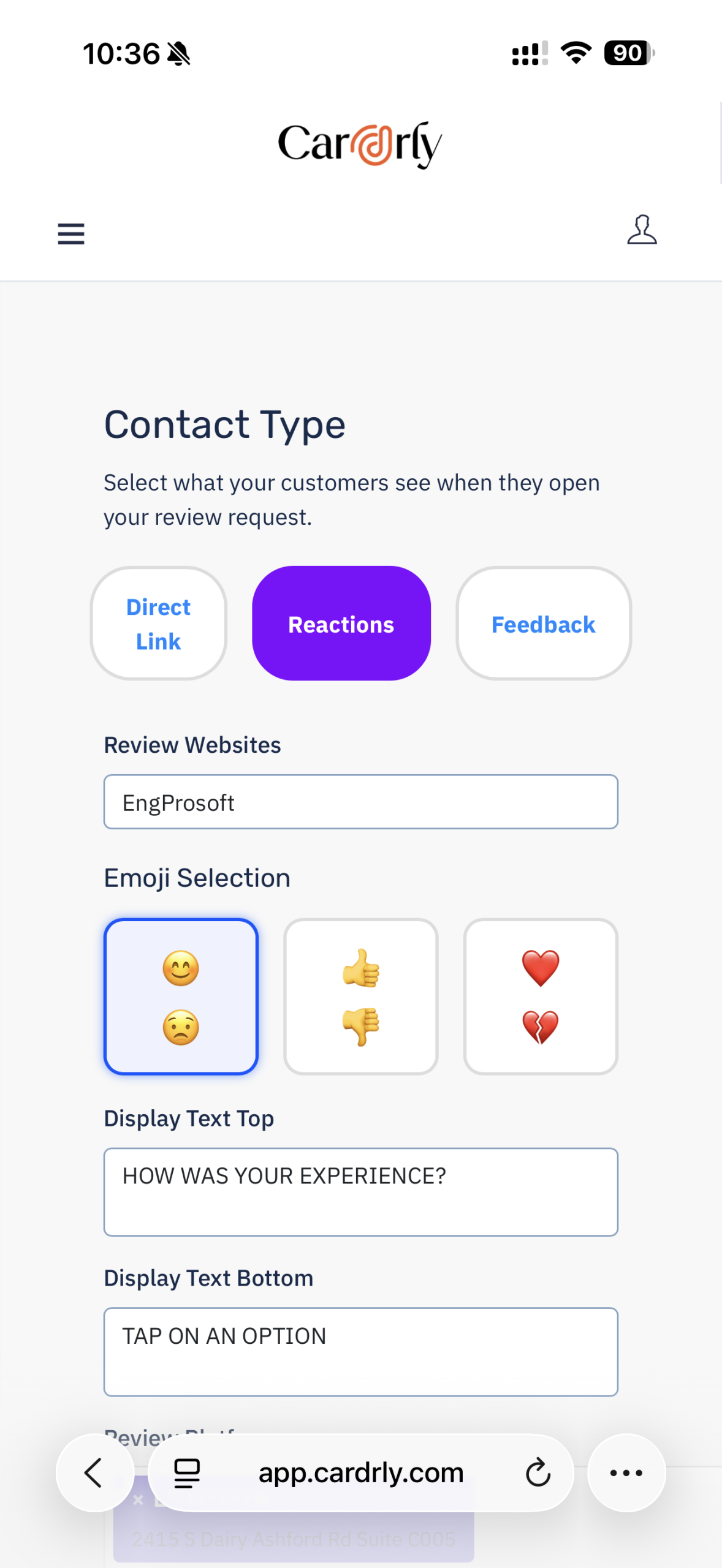
  • Build your branded page — Choose Direct Link, Reactions or Feedback and customize the business destination, top prompt and bottom instructions.
  • Personalize reactions — Choose faces, thumbs or hearts to make sharing an experience simple. Keep public reviews available to every customer.
  • Collect feedback and follow up — Let customers explain concerns privately and request contact so your team can follow up.
  • Preview on mobile — Check your business name, text, emoji choices and complete mobile layout before saving and sharing the page.
  • ACTUAL CARDRLY SCREEN
    Review-page builder
    Review-page builder
    02 / SMS Review Campaigns

    One campaign. Every step in one place.

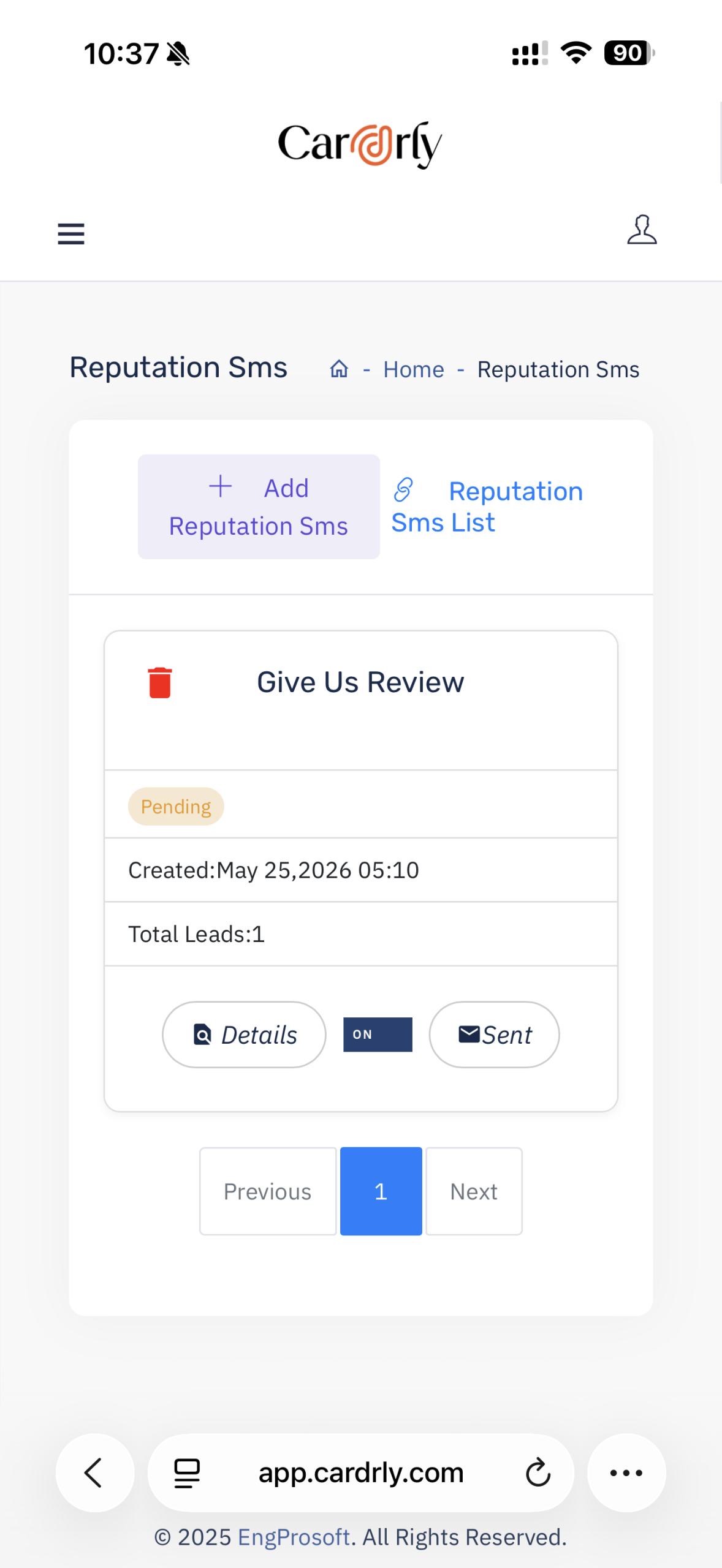
    Create SMS review requests, select your audience, manage campaign messages and status, and track review engagement and SMS usage.
  • Create your request — Name your campaign, write a neutral SMS invitation and include your branded review-page link.
  • Select your audience — Filter contacts by category and date, search the list and select individuals or all eligible contacts.
  • Manage campaign progress — Review campaign status, creation date, recipient count, sent records and details in one workflow.
  • Track usage and engagement — Check available SMS balance, your plan allowance, engagement and review indicators alongside your campaigns.
  • ACTUAL CARDRLY SCREEN
    SMS review campaigns
    SMS review campaigns
    03 / Reputation reports

    A clearer view of the feedback you receive.

    Filter reports by review platform, business location and date range, then compare positive and negative review trends over time.
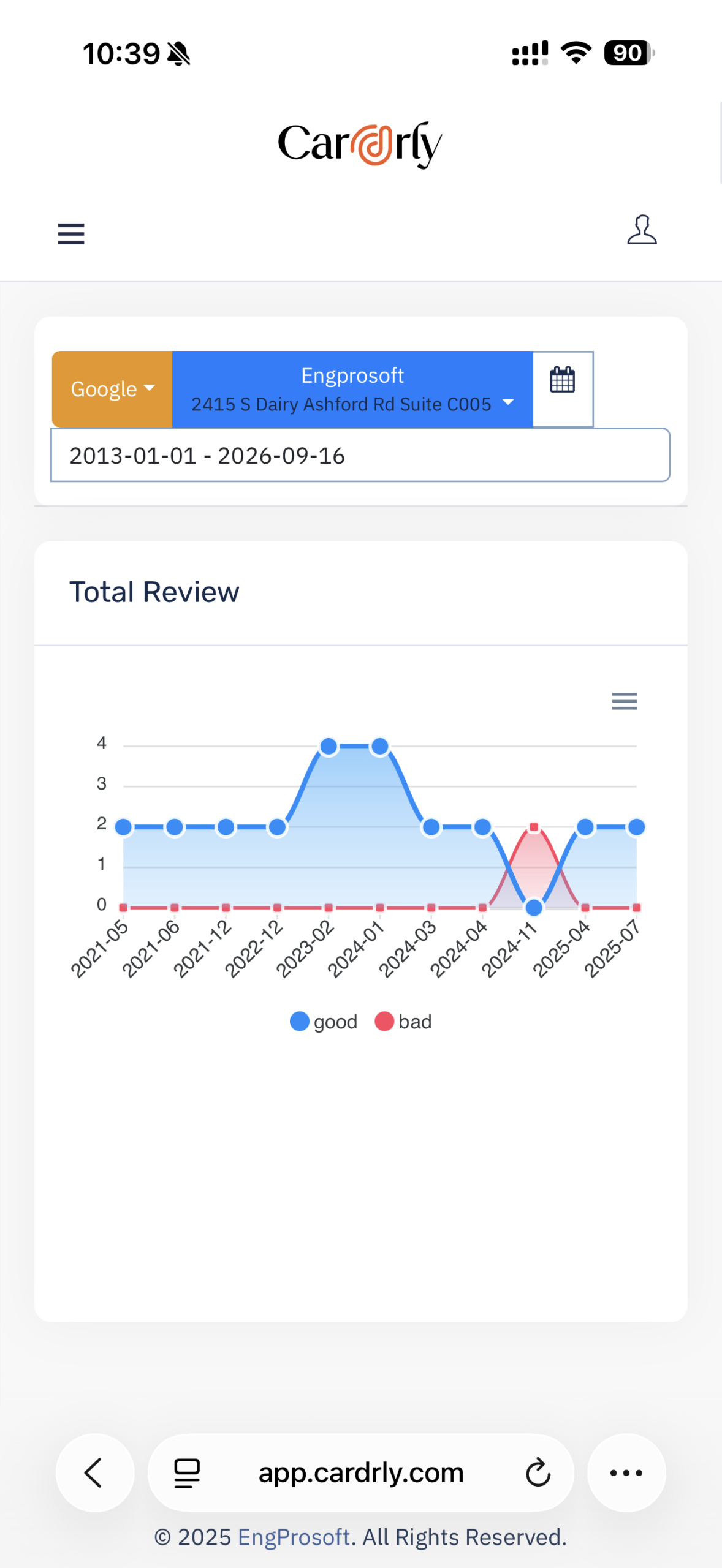
  • Filter before comparing — Select the review source, business location and report period.
  • See the trend — The Total Review chart plots good and bad review counts along a timeline.
  • Use your actual data — The screenshot is an example from the supplied Cardrly account, not a performance promise or a benchmark.
  • ACTUAL CARDRLY SCREEN
    Reputation report filters & trends
    Reputation report filters & trends
    MAKE TRUST VISIBLE

    Your customer reviews.
    On your own website.

    Cardrly’s supplied widget screen includes two previewable templates and iframe embed codes. The examples below illustrate the two layout directions with sample content.

    G
    ★★★★★
    Illustrative layout · Sample reviews
    AL
    Alex L.
    G
    ★★★★★

    Friendly team and a smooth experience from beginning to end.

    JS
    Jamie S.
    G
    ★★★★★

    Clear communication and thoughtful service. Thank you to the team.

    MR
    Morgan R.
    G
    ★★★★★

    Everything was easy to arrange. I felt well looked after.

    YOUR NEXT CHAPTER

    Your next customer is reading your reviews.
    Make every impression count.

    Let’s build a reputation workflow that works for your business.