ONE COMPLETE FEATURE

SMS Review Campaigns

Create SMS review requests, select your audience, manage campaign messages and status, and track review engagement and SMS usage.

EVERY STEP, TOGETHER

Everything included.

01

Review requests

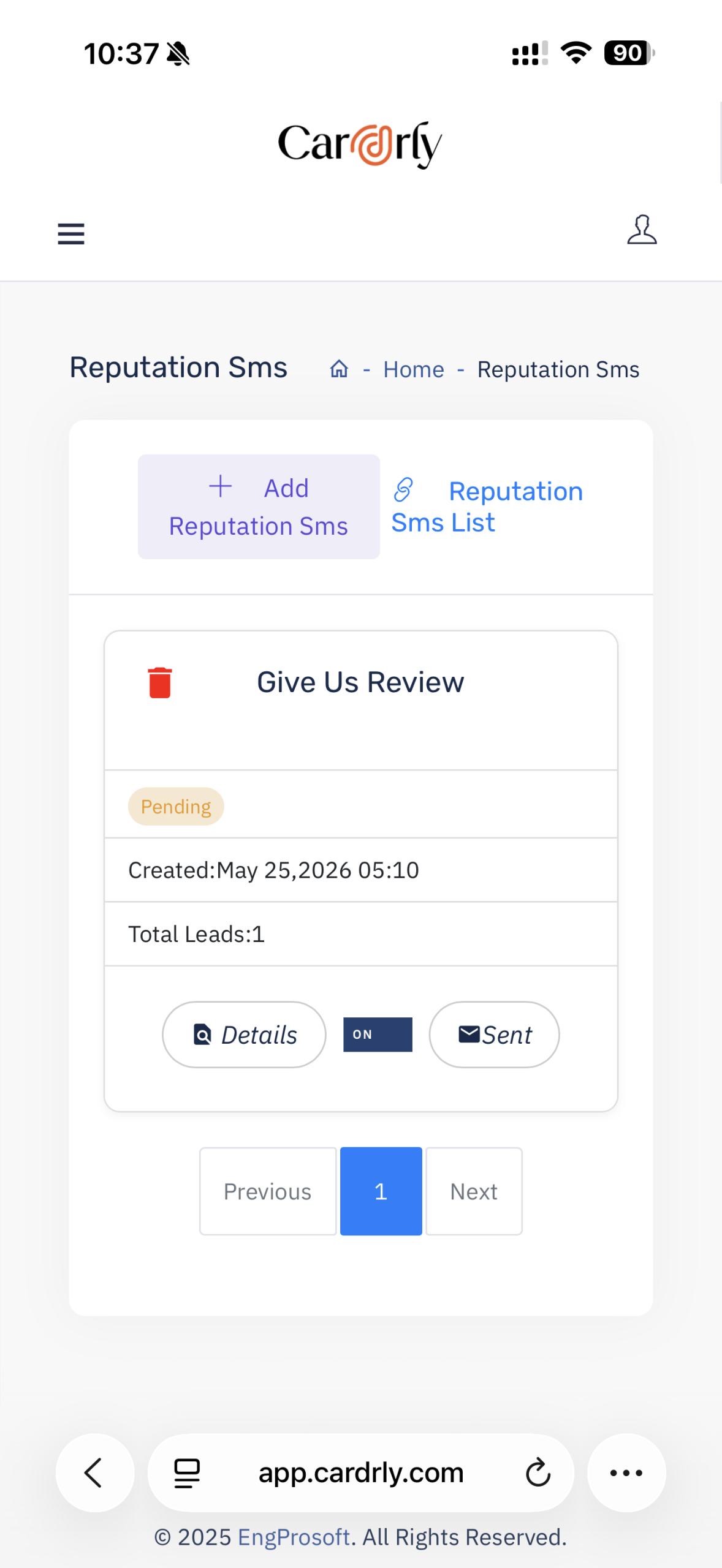
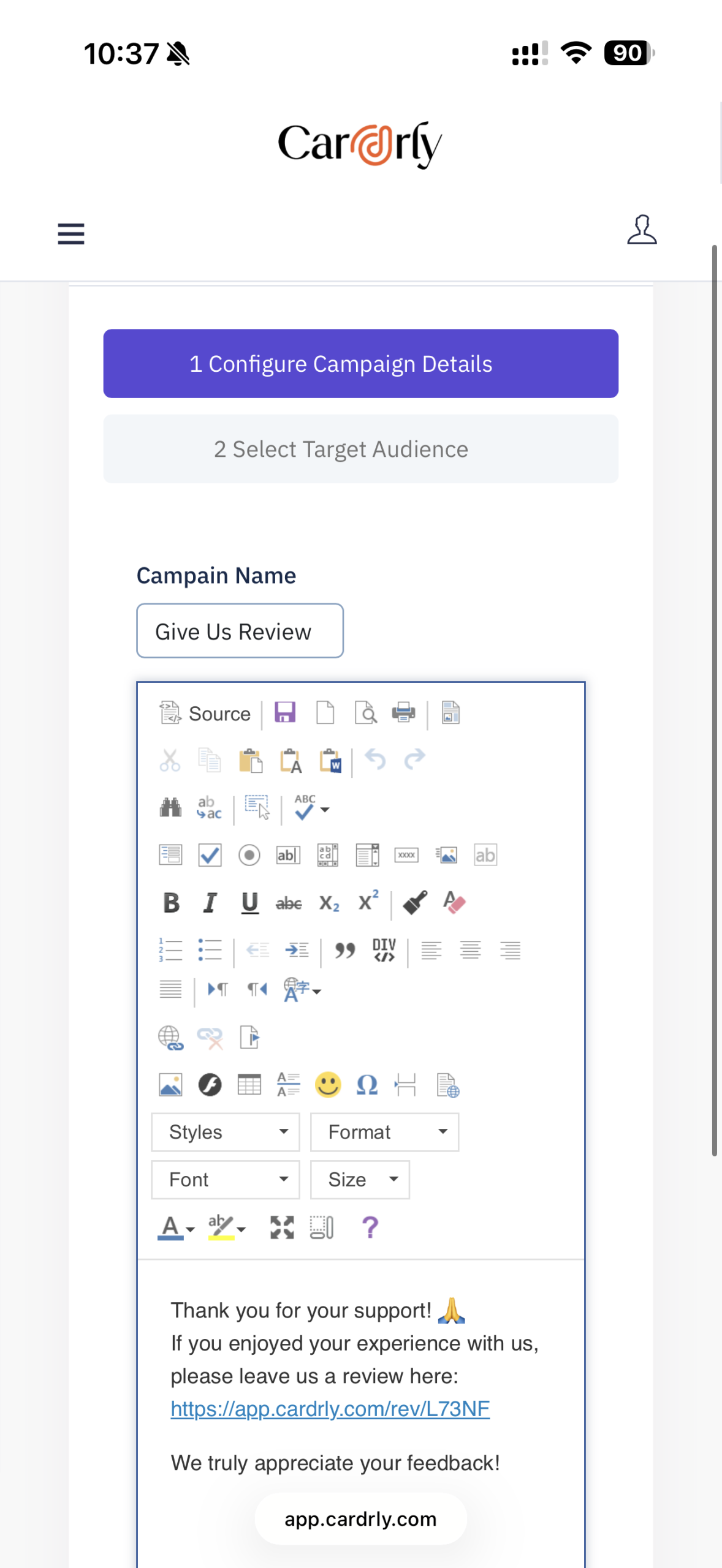
Create a named SMS campaign, edit your invitation and add your review-page link.

ACTUAL CARDRLY SCREEN
SMS review campaigns
02

Campaign audience selection

Filter contacts by category and date range, search the list, select individuals or select all, and control the visible page size.

  • Filter by category — Narrow your contact selection with the Category field.
  • Choose a date range — From Date and To Date filter the target list.
  • Search and select — Search contacts, select individual checkboxes or Select All, and adjust pagination and entries per page.
  • Campaign audience selection

    Filter contacts by category and date range, search the list, select individuals or select all, and control the visible page size.

    INCLUDED IN SMS REVIEW CAMPAIGNS
    03

    SMS campaign control

    Name campaigns, format message content, include a review link and view campaign status, creation date, recipient count and details.

    ACTUAL CARDRLY SCREEN
    SMS campaign message editor
    SMS campaign message editor
    04

    Review & SMS overview

    See total reviews, average rating, reviews in the last 30 days, available SMS balance, plan SMS allowance and engagement rate.

  • Reputation snapshot — Total reviews, rating and reviews over the last 30 days provide a quick summary.
  • SMS balance — Available Usage SMS and Plan SMS are separate indicators in the overview.
  • Engagement indicator — The dashboard also displays Engagement Rate; the screenshot does not define its exact formula.
  • Review & SMS overview

    See total reviews, average rating, reviews in the last 30 days, available SMS balance, plan SMS allowance and engagement rate.

    INCLUDED IN SMS REVIEW CAMPAIGNS
    YOUR NEXT CHAPTER

    Your next customer is reading your reviews.
    Make every impression count.

    Let’s build a reputation workflow that works for your business.